If your club has no payment method, you cannot create a subscription. Then the window shows a message about this.
Create a subscription
Click Betalinger (Payments) in the menu on the left.
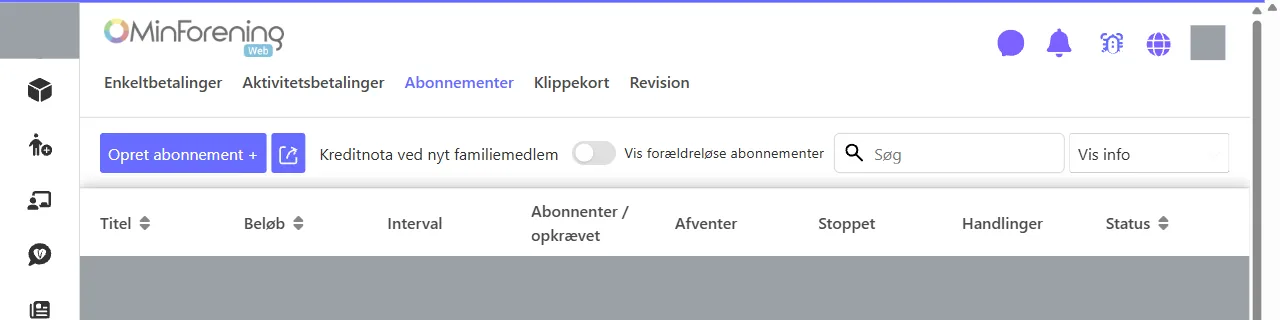
Select the tab Abonnementer (Subscriptions).
Click Opret abonnement (Create subscription). A window opens.
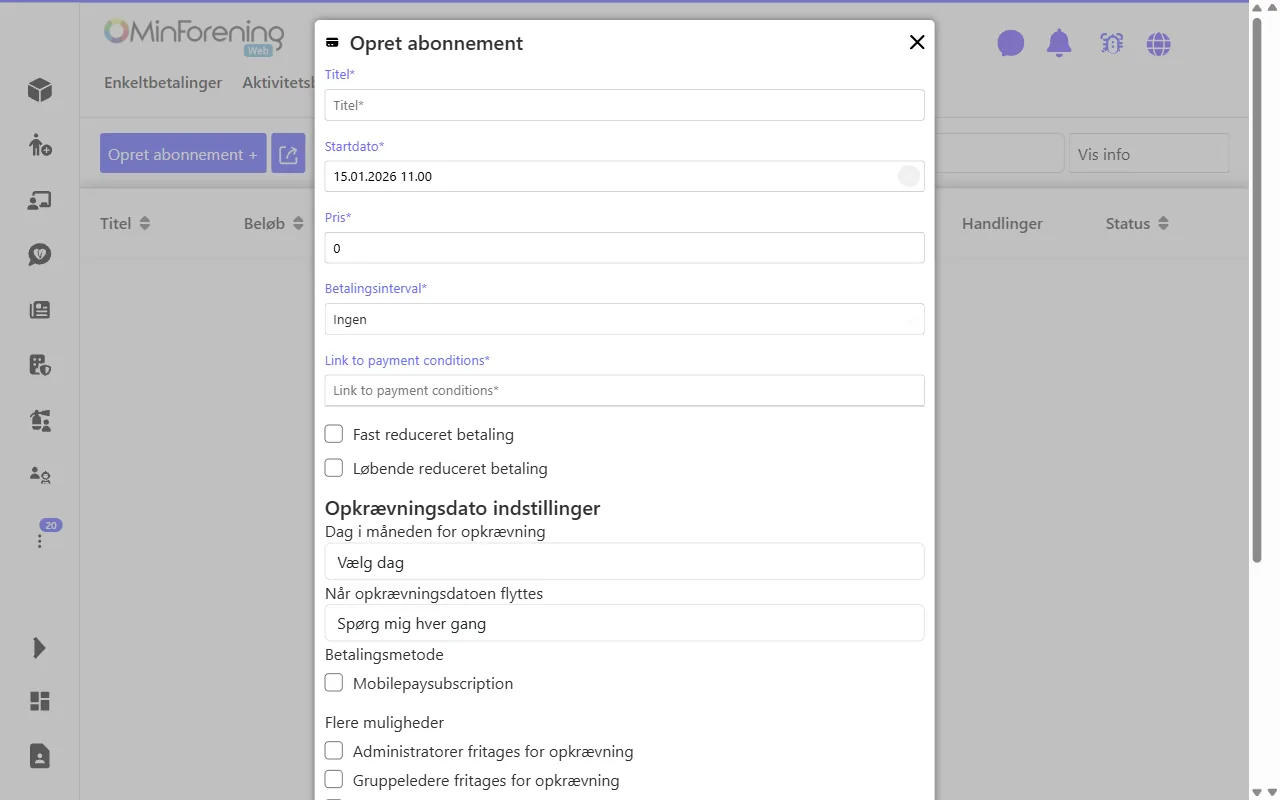
Fill in Titel (Title), Pris (Price) and Startdato (Start date).
Select Betalingsinterval (Payment interval).
Select one or more payment methods under Betalingsmetode (Payment method).
Click Vælg betalere (Select payers). A new window opens.
Select the members that must pay.
Click Opret (Create).
The Abonnementer (Subscriptions) tab. Click Opret abonnement (Create subscription) to make a new one.
The Opret abonnement (Create subscription) window. At the top, you write the title, the start date and the price.
Select the charge date
Under Opkrævningsdato indstillinger (Charge date settings), you select when members pay. Select Opkrævningsmåned (Charge month) and Dag i måneden for opkrævning (Day of the month to charge).
Do you want to charge only one time each year on a fixed date? Then select Opkræv kun i indeværende år (DUF) (Charge only in the current year).
More options
Under Flere muligheder (More options), you find more choices:
You can make administrators, group leaders and relations exempt from the charge.
Opkræv familie (Charge family) sends one charge to all of the family. This applies if you use households.
Tillad medlemmer at sætte eget abonnement på pause (Let members pause their own subscription) lets members pause the subscription.
Create a single payment
Click Betalinger (Payments) in the menu on the left.
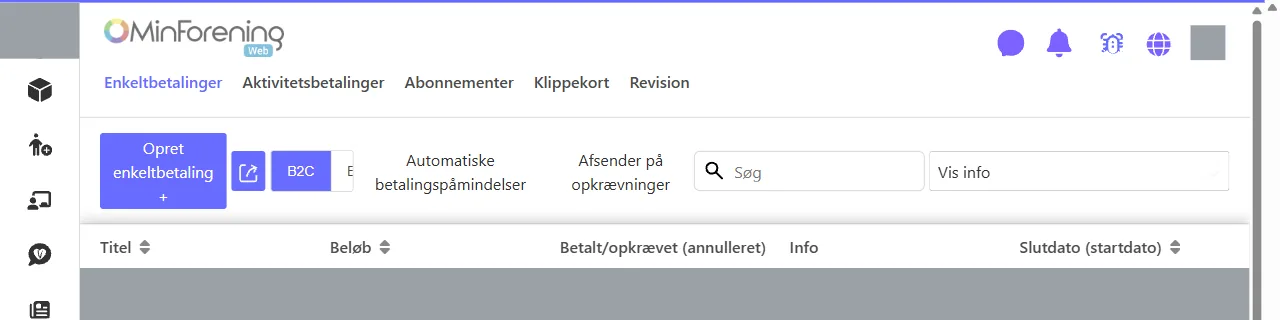
Select the tab Enkeltbetalinger (Single payments).
Click Opret enkeltbetaling (Create single payment). A window opens.
Select Betalertype (Payer type). This is Medlemmer (Members) or Organisationer (Organisations).
Fill in Pris (Price), Startdato (Start date) and Slutdato (End date).
Select one or more payment methods under Betalingsmetoder (Payment methods).
Click Vælg betalere (Select payers). A new window opens.
Select the members that must pay.
Click Opret (Create).
The Enkeltbetalinger (Single payments) tab. Click Opret enkeltbetaling (Create single payment) to make a new one.