
This page tells how we operate and protect the solution. It is for IT staff, data protection officers and auditors. The page does not give server names, addresses, versions or limit values. That information can help an attacker.
Summary
- The servers of the solution are in the Hetzner data centres in Germany, which have ISO/IEC 27001 certification.
- We encrypt all traffic between your apps and our servers.
- We also encrypt very sensitive data when we store it.
- We monitor the solution 24 hours a day. We get an alert when a service stops.
- We make backups every day and keep them for 30 days.
- We keep a copy in a different location from the servers.
Where your data is
The production servers of the solution are in the Hetzner data centres in Germany. Our own AI server is in our office in Denmark, and an extra copy of the backups is on our own equipment in Denmark. Hetzner runs the data centres, the hardware, the network and the protection against DDoS attacks. We operate the servers ourselves from the operating system upwards. See the split in decision 0002. We have our own DNS name servers, ns1.wiiandi.dk and ns2.wiiandi.dk, managed by NordName.
The data centres
Hetzner has ISO/IEC 27001:2022 certification. This is an international standard for information security. The certification includes the hosting services of Hetzner and the data centres in Germany and Finland. See the Hetzner ISO/IEC 27001:2022 certificate (PDF). The server and cloud products of Hetzner also have a BSI C5:2020 Type 2 attestation from an independent auditor. See the Hetzner BSI C5:2020 Type 2 attestation (PDF). You can see all the certificates at Hetzner: Hetzner certificates. Last checked: 10 November 2026.
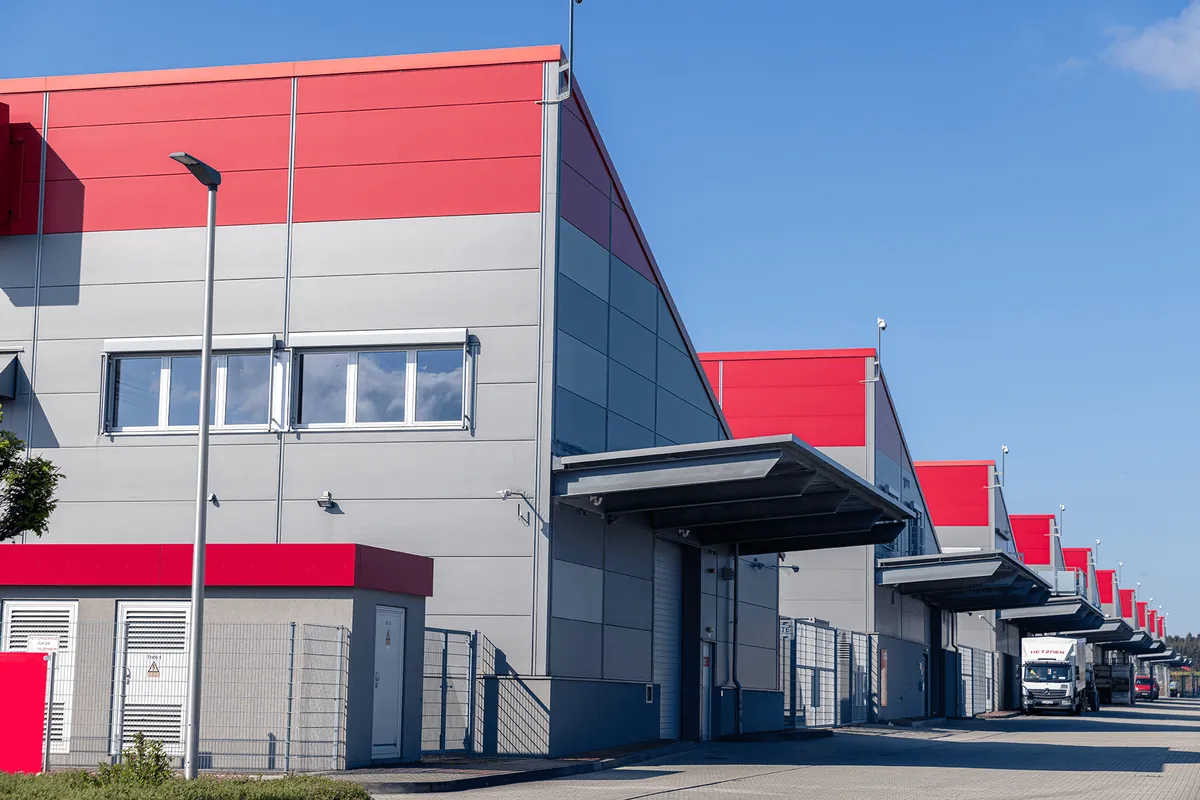
Hetzner’s data centres are protected as follows:
- A security fence and video surveillance protect the area.
- An access control system is the only entry, and it records all access.
- Uninterruptible power supplies (UPS) and diesel generators supply power if the public power grid fails.
- Each data centre has two separate power paths.
- An early fire detection system has a direct connection to the fire service.
- Redundant fibre connections connect the data centre parks to the Hetzner network.
The Hetzner network. Hetzner automatically protects all customers against denial-of-service attacks (DDoS), at no extra cost. Hetzner also detects attacks and network scans that come from servers in its network, and it can lock these servers. The Hetzner firewall protects our servers. Wiiandi Group ApS sets up the rules, and the firewall filters the traffic in the Hetzner network before the traffic gets to the servers. We also have our own edge protection, which we developed ourselves. It is a web application firewall that stops traffic that looks like an attack. It runs in the Hetzner data centres in Germany, in front of the app servers. Last checked: 10 November 2026.
Some functions use services outside our own servers, for example push messages to phones, SMS and some AI functions. The architecture overview tells which AI providers we use. If your organisation keeps files in SharePoint, Microsoft stores those files.
DNS
We have two name servers of our own. Their names are ns1.wiiandi.dk and ns2.wiiandi.dk, and NordName manages them. A name server tells which server a domain name points to. minforening.dk, minorganisation.dk and wiiandi.dk all point to the two name servers. When a person opens minforening.dk, their internet provider or another DNS service asks our name servers. If one name server does not answer, the service asks the other name server.
| Name | Managed by | Network |
|---|---|---|
| ns1.wiiandi.dk | NordName | NordName anycast network |
| ns2.wiiandi.dk | NordName | NordName anycast network |
The two name servers run on the NordName anycast network at the company Rage4.
The names are in the domain wiiandi.dk. Thus the .dk registry also keeps the addresses of the name servers (glue records). Then it is possible to find the name servers, although they answer for wiiandi.dk themselves.
NordName is the Finnish company C-Soft Oy, which started in 1987. NordName tells that it is family-owned. ICANN accredits NordName as a registrar of domain names. You can see this in the ICANN list of accredited registrars. ICANN is the organisation that coordinates domain names worldwide. An accredited registrar must follow the ICANN rules for registering domains. The registries for .eu, .se and .fi, among others, also accredit NordName. NordName does not publish an ISO certification or a similar certification, and we did not find one.
The name servers use anycast. This means there are servers in several countries, also outside the EU. They answer on the same DNS addresses. According to NordName, this makes DNS more robust against failures and denial-of-service attacks.
NordName also has a climate initiative where they plant a tree for each domain that is registered with them or transferred to them. Read more on the NordName page about the initiative.
We protect DNS like this:
- minforening.dk, minorganisation.dk and wiiandi.dk are signed with DNSSEC.
- With DNSSEC, anyone can check that nobody has changed which server you communicate with along the way.
- The name servers answer only for the domains that they are responsible for.
- CAA records let only Let’s Encrypt issue certificates for the domains. We monitor public certificate logs. See Encryption.
Web and e-mail in DNS. DNS also tells browsers and mail servers how to communicate with us:
HTTP/3. DNS tells browsers that they can use the newer and faster HTTP/3 protocol (with HTTPS records in DNS). This applies to minforening.dk, wiiandi.dk, www.minorganisation.dk, the web app and the API. Our edge protection answers with HTTP/3.
IPv6. The same names also have IPv6 addresses (AAAA records). Thus they are available over the newer IPv6.
SPF. SPF records tell which servers can send e-mail from minforening.dk, minorganisation.dk and wiiandi.dk.
DKIM. minforening.dk, minorganisation.dk and wiiandi.dk have DKIM keys in DNS. With these keys, the receiver can make sure that a signed e-mail comes from us and that nobody changed it on the way.
DMARC. The DMARC policy for minforening.dk, minorganisation.dk and wiiandi.dk is “quarantine”. It asks the receiver to handle e-mail that fails the checks as suspicious, for example to put it in the spam folder. For minforening.dk and minorganisation.dk, we get reports about the results.
DANE. Microsoft receives e-mail for minforening.dk and minorganisation.dk with DANE. DANE uses DNSSEC to make sure that the sending mail server uses an encrypted connection to the correct receiving server. This works when the sending mail server supports DANE.
DNS contains no data about your members. It contains only technical data, for example the server that a name points to. The data in DNS is public. Last checked: 10 November 2026.
Data under European law
Our goal is that all data is under European law. We are not fully there yet.
This is important for several reasons:
The GDPR applies fully. The EU General Data Protection Regulation (GDPR) protects data about persons. The GDPR applies to all who process the data in the EU. For European companies, no foreign law can go against the GDPR.
Laws outside the EU. Some countries outside the EU have laws that can force a provider to give out data. This can also apply to data in the EU if a company in that country owns the provider. Examples are the US laws CLOUD Act and FISA section 702. The Court of Justice of the EU examined, among other things, FISA section 702 in the Schrems II judgment. The judgment is from 16 July 2020 (case C-311/18).
Trust. Your members must be able to trust that their data is protected.
Control. We want to know and decide where the data is.
The situation today:
The servers, databases, files and backups of the solution are at Hetzner in Germany. Hetzner is a German company. An extra copy of the backups and our own AI server are on our own equipment in Denmark.
Some services come from US companies or from European companies that US companies own. This includes push messages to phones, feature management, some AI functions and AI tools, our support e-mail and server monitoring. Some of them store data in the EU. Some of them process data in the USA.
NordName, a Finnish company, manages our name servers. The name servers also have servers outside the EU. DNS contains no data about your members.
Let’s Encrypt, which issues our certificates, is a nonprofit organisation in the USA. Let’s Encrypt gets domain names and technical data about the servers and about our account, but no data about your members.
By default, the AI functions in the solution use models that we operate ourselves. The AI functions use other AI providers only when an organisation selects them, or as a fallback.
Providers that process data for us today:
| Provider | Used for | Company country | Where the data is | Status |
|---|---|---|---|---|
| Hetzner Online GmbH | Servers, databases, files and backups | Germany | Germany | EU |
| ONLINE GATEWAY ApS (Txty) | SMS | Denmark | Denmark | EU |
| Microsoft Ireland Operations Limited (Microsoft 365) | Our support e-mail | Ireland, owned by Microsoft Corporation in the USA | EU | EU company with a US owner |
| Symprex Limited (Signature 365) | E-mail signatures on the e-mail of our staff. E-mail from the solution to recipients who use Microsoft 365 can also be processed. According to Symprex, it does not read or store e-mails | United Kingdom | EU (Microsoft Azure) | Company outside the EU, data in the EU |
| Microsoft Ireland Operations Limited (Azure OpenAI) | Assessment of bug reports, and AI functions that the club selected | Ireland, owned by Microsoft Corporation in the USA | EU (Microsoft EU Data Zone) | EU company with a US owner |
| Microsoft Ireland Operations Limited (Microsoft Defender for Endpoint) | Monitoring of our servers | Ireland, owned by Microsoft Corporation in the USA | EU | EU company with a US owner |
| Google Ireland Limited / Google LLC (Firebase Cloud Messaging) | Push messages to the mobile app | Ireland and USA | EU and USA | US owner, data also in the USA |
| Anthropic PBC | AI tool for the handling of bug reports. Anthropic must not train models on data from us, and data is normally deleted within 30 days. We send no location data | USA | USA | Company outside the EU |
| GrowthBook, Inc. | Feature management with internal IDs. Our own solution, which is in development, will replace it | USA | USA | Company outside the EU |
| XLOCK GmbH | Digital access control, only if the club uses it | Austria | Switzerland, according to XLOCK. According to our information, login is through Firebase (Google, USA) | EU company, data outside the EU, possibly also in the USA |
| Multi-Regnskab ApS | Accounting, only if the club uses it | Denmark | EU, at Amazon Web Services | EU company with a US hosting provider |
| NordName (C-Soft Oy) | Name servers (DNS). No member data | Finland | Servers in several countries, also outside the EU | EU company, also servers outside the EU |
| Let’s Encrypt (ISRG) | Certificates. No member data | USA | USA | Organisation outside the EU |
| tawk.to | Chat on the MinForening website. No member data from the solution | USA | USA | Company outside the EU |
| MailMunch | The MinForening newsletter. No member data from the solution | USA | USA | Company outside the EU |
The table does not include services that a club connects to the solution with its own account, for example its own payment provider or SharePoint.
What we continue to work on:
Feature management. We are developing our own solution for feature management. It will replace GrowthBook.
Push messages. We are developing our own service for push messages.
Microsoft 365. We develop our own solutions that will replace Microsoft 365. This includes e-mail, device management, login, documents, spreadsheets, presentations and tools for images and video. We will use them in our own work, and we will also offer them to clubs. We plan to have them ready by the end of 2027 at the latest. Until then, clubs can still integrate with Microsoft if they want to. We are a Microsoft partner.
Documents. Now, we can already offer an online editor for Word documents. It works directly in the club files. The editor is our own. The documents stay on the servers of the solution.
Encryption
In transit. The web app, the mobile app and the desktop app connect to our servers through an encrypted connection. We use TLS 1.2 or later. We send plain http to https. The browser is told to always use https (HSTS). We renew the certificates automatically. We also send SMS and push messages to the providers through encrypted connections. The solution sends email through an encrypted connection. We do not let our servers send email without encryption.
Certificates. Let’s Encrypt issues the certificates that our servers use. Internet Security Research Group (ISRG), a nonprofit organisation in the USA, operates Let’s Encrypt. Let’s Encrypt gets the domain names for the certificates. Let’s Encrypt also gets data about our servers, for example IP addresses, and about our account at Let’s Encrypt. Let’s Encrypt gets no data about your members. But a host name can contain the name of your organisation. Let’s Encrypt sends all the certificates that it issues to public logs (Certificate Transparency). Because of this, our domain names and host names are public. CAA records in DNS for minforening.dk, minorganisation.dk and wiiandi.dk let only Let’s Encrypt issue certificates for these domains. We monitor the public logs automatically several times each day. We get an alert if a certificate for our domains comes from a different certificate authority. We also get an alert if a certificate for a new host name appears.
At rest. The solution always encrypts some data before it stores it:
- personal identity numbers (CPR)
- reports and messages in the whistleblower scheme
- keys for two-step login
- access data for other systems that you connect to the solution
You can select to encrypt other data:
Secret address and secret phone number. If the address of a person is secret, the solution encrypts the address, the email on the address and the location. The same applies to secret phone numbers.
Encrypted chat. Chat can have end-to-end encryption. Then only the participants can read the messages.
Encrypted folders in Files. An administrator can encrypt a folder. Each folder has its own random key. There are two types of encrypted folder:
Standard. The server encrypts the files with AES-256, and a checksum (HMAC) shows if somebody changed them. The server can open the files again. An administrator can recover access if a user forgets the password.
Zero-Knowledge. When you put files in the folder with the desktop app, the desktop app encrypts them with AES-256-GCM before it sends them to the server. Only the password of the user or the recovery key of the folder can unlock them, so our staff cannot read them.
The encryption keys are on the servers, not in the database. We can replace the keys.
Login and access
Passwords. We do not keep passwords in a form that can be read. We keep new and changed passwords as a PBKDF2-HMAC-SHA256 hash with 600,000 iterations and a unique salt. The next time the user logs in, the solution converts each password, old or new, to Argon2id. We use 19 MiB of memory, 2 passes and 1 lane, as OWASP also recommends. If the club invites or imports a member who has no password yet, the member gets a one-time link to choose one.
Failed logins. After repeated failed logins, the system first slows down and then blocks the attempts. This applies to the account and to the source address.
Cookies. The cookies that the server of the web app sets at login have the HttpOnly mark. This means that scripts on the page cannot read them.
Two-step login. All clubs can get two-step login with an authenticator app. Contact support, and we switch it on. The club selects if two-step login is optional, suggested or mandatory. Administrators can reset the authenticator of a user. Users can see their login history.
Roles and permissions. Roles and permissions control what each user can see and do. The API also checks the permissions of the user when it receives a request.
Separate customers. We keep each customer separate from the other customers. Automatic tests check this separation. Read more in Architecture overview.
Security in the apps
Get the MinForening app from the App Store or Google Play.
The web app in the browser.
- The web app sends the access key of the user (a token) with each request to the API.
- The API checks the token each time.
- The server sends security headers with the web app.
- The security headers prevent, for example, other websites from showing the web app inside their own page (protection against clickjacking).
The desktop app.
- The desktop app checks the certificate of the server before it sends data.
- The desktop app encrypts files in encrypted folders with AES-256-GCM before it sends them to the server.
- Each folder has its own random key. A second key protects the folder key.
- The desktop app makes the second key from the folder password with PBKDF2-SHA256 and 600,000 rounds.
- An unlocked folder locks again automatically after 30 minutes without use.
- If the user selects to remember the access, the desktop app saves the key from the password.
- Windows encryption (DPAPI) protects the saved key.
- The desktop app keeps the saved key for a maximum of 30 days.
- The key of an unlocked folder is only in the memory of the computer.
- When the folder locks, the desktop app deletes the key.
- The user can set the desktop app to scan files for viruses on the computer before it sends them.
- The virus scan is useful for Zero-Knowledge folders, because the server cannot see their content.
- By default, the desktop app uses the antivirus program of Windows. This function is off by default.
- Only the computer itself can reach the internal control of the desktop app.
- The internal control needs a secret key that the desktop app makes at each start.
Backups
We make automatic backups of the servers and keep them for 30 days. We keep a copy in a different location from the servers. We also make server snapshots and keep them for 7 days. So when data is fully deleted from the servers, it also disappears from the backups and snapshots within 30 days.
Did you delete a file, a folder or a document version by mistake? If this occurred in the last 30 days, our support can get it back. You cannot restore a deleted file in the app yourself. Contact support.
The Website module also has its own backups. You make and restore them yourself. See the guide Build your club website.
Monitoring and operation
We monitor the services of the solution automatically, 24 hours a day. When a service stops, our staff get an alert. We get reminders until the service operates again.
We operate the servers, the certificates and the updates. We update the servers every month. You do not install or update anything.
Monitoring of the servers. Microsoft Defender for Endpoint runs on our servers. It monitors the servers. It helps us detect and respond to attacks on the servers.
Staff computers. The computers of our staff have encrypted drives. Antivirus and other protection systems from Microsoft also protect the computers.
Logging and traceability
Audit log. The solution keeps an audit log of important events, for example changes to roles, consents, payments and security settings. With the GDPR compliance module, you can export it.
Access log in Files. Files has an access log that shows who opened a file. The solution deletes the log automatically after a period. The club can change this period.
Operation logs. Our internal logging system collects technical operation logs. It removes email addresses before it keeps a log, and it deletes logs after a fixed period. Only our staff have access. Each staff member logs in with a personal login.
How we test security
- Automatic tests check login, security functions and the isolation between customers.
- We examine the code for security errors and repair the errors that we find.
- We continuously measure how well our automatic tests catch errors.
- The measurement covers everything from the user interface and the machine room to the data processing and the protection layers.
- To measure, we deliberately make changes in the machine room and check that the tests raise the alarm.
- We also monitor how and where data is processed.
- We use the measurement to make the tests better.
- We have developed our own automatic tests of the user interface. They run in a browser for every new release.
- The tests click through the app the way a user would.
- We have our own automatic accessibility tests. Some of them use the open-source tool axe-core.
- We have our own security scanners. They also use data and checks from third parties.
- We test our systems with penetration testing and simulated attacks.
- We test usability with AI personas. These are users that AI simulates.
- The AI personas have different needs, and they try the pages.
- We also test manually.
We use axe-core version 4.10.2. The tool checks pages against some of the WCAG 2.2 level AA requirements. An automatic tool does not find every accessibility problem.
Did you find a vulnerability?
Send an email to kontakt@minforening.dk. Write in Danish or English. Our security.txt file also gives the contact data. Do not use the vulnerability against other persons. Give us time to repair it before you tell other persons about it. We reply within 5 working days.
Last updated: