
This guide is for club administrators. It tells you how to see who paid and who did not pay. It also tells you how to send a reminder. This is available if your club has the module.
The pictures show the Danish version of the web app. The text gives the Danish label first, then the English meaning in brackets.
Did you not charge any payments yet? Then start with the guide about membership fees and subscriptions.
The tabs in Betalinger
Click Betalinger (Payments) in the menu on the left. At the top, there is a tab for each type of payment:
- Enkeltbetalinger (Single payments) are payments that occur one time.
- Aktivitetsbetalinger (Activity payments) are payments for activities that have a price.
- Abonnementer (Subscriptions) are payments that occur again, for example membership fees.
If your club has more modules, you can see more tabs.
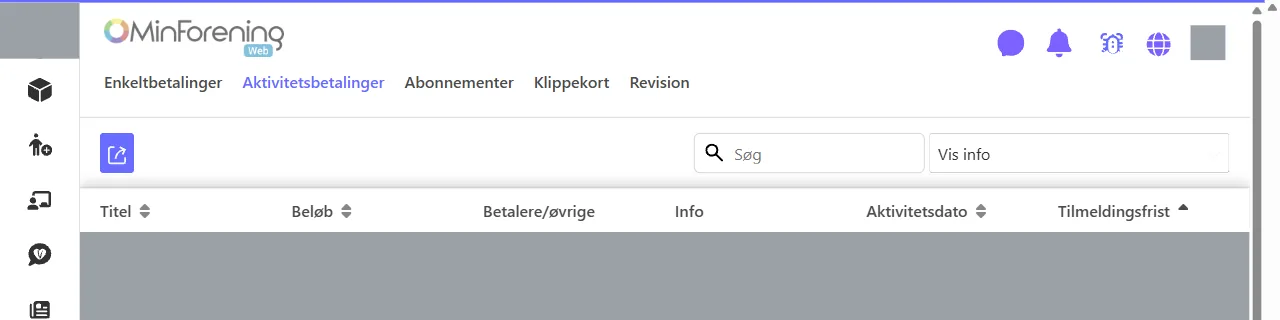
See the payers for a single payment
- Click Betalinger (Payments) in the menu on the left.
- Select the tab Enkeltbetalinger (Single payments).
- Click the payment in the list. The list of payers opens.
- Look at the status of each payer, for example Betalt (Paid) or Ikke betalt (Not paid).
See the payers for an activity
- Click Betalinger (Payments) in the menu on the left.
- Select the tab Aktivitetsbetalinger (Activity payments).
- Click the activity in the list. The list of payers opens.
You can also open the activity in Aktiviteter (Activities) and click Se betalinger (See payments). Read more in the guide about how to create an activity with sign-up.
See the payers for a subscription
- Click Betalinger (Payments) in the menu on the left.
- Select the tab Abonnementer (Subscriptions).
- Click the subscription in the list. The list of subscribers opens.
- Click a subscriber to see each charge and its status.
Find the correct payers
In the list of payers for a single payment, you can use filters:
- With Grupper (Groups), you see only the payers from one group.
- With Påmindelsesstatus (Reminder status), you select Påmindet (Reminded) or Ikke påmindet (Not reminded).
Click Eksportér (Export) to download the list. This button is also available for activities and subscriptions. Click Vis historik (Show history) to see what occurred with the payment.
Send a reminder
If a member did not pay a single payment, you can send a reminder.
- Find the payer in the list.
- Click Send påmindelse (Send reminder).
Then the payer shows Påmindelse sendt (Reminder sent).
Do you want to send a reminder to more members at the same time? Select the payers in the list, then click Send påmindelser til valgte (Send reminders to selected).
For subscriptions, the button is Påmindelse (Reminder). It shows when a subscriber did not accept the request, or when the request expired.
Did a member pay in a different way?
For example, did a member pay in cash? Then you can click Godkend (Approve) for the payer. Then the status is Godkendt af Administrator (Approved by administrator).
Next step
Now you know who paid. In the next guide, you send messages to members.
Last updated: