
This page describes the most important technical decisions behind the solution. For each decision, we tell what we chose, why, and the consequences. The page is for developers and other technical readers.
We work together as a team and use many iterations, so that the solution fits many kinds of associations, organisations, communities, trade unions and companies. The team makes the decisions.
We write the decisions in the MADR format. We wrote these decisions after the event. From now on, we write a decision record each time we make a large technical decision.
This page does not give server names, addresses, versions of what we run today or other internal details. We do this to protect the solution.
When we build things ourselves, we get three things:
- More control of data: where it is stored and processed, and who has access.
- Control of our costs. We pay no other provider per user or amount and avoid price rises that others decide.
- The limits or the schedule of a different provider do not slow us down, so we can develop faster.
In return, we must build and maintain the solution ourselves.
| No. | Decision |
|---|---|
| 0001 | One database per customer, and each club kept apart in the database |
| 0002 | Our servers at Hetzner in Germany |
| 0003 | The web app on modern .NET and a full upgrade of the backend |
| 0004 | Blazor WebAssembly and Blazor Server with Fluxor for state |
| 0005 | Modular monolith with tested boundaries |
| 0006 | Our own edge protection |
| 0007 | Our own logging system |
| 0008 | One codebase for the mobile app, where each club gets its own area |
| 0009 | AI provider chosen for each feature, with our own Qwen models as the default |
| 0010 | White label through configuration, not separate code |
| 0012 | Features and modules that we switch on and off while the solution runs |
| 0013 | Hosting in three levels: shared, isolated and dedicated |
| 0014 | We built the certification module ourselves |
| 0015 | The operations platform is one place for the customer lifecycle and setup |
| 0016 | Our own mail server for email from the solution |
| 0017 | Our own DNS name servers through NordName |
| 0018 | Our own guide generator for our partners |
The numbers follow our own list, and we never use a number again. So a number can be missing.
0001 One database per customer, and each club kept apart in the database
Status: Accepted.
Context
The solution has many customers. Some are small clubs. Others are large organisations and federations that want their data kept apart from the data of others. One customer can contain many clubs, departments or small organisations. One user can be a member of many clubs. From the start, data in the database has belonged to a specific club.
Decision
We decided to isolate the customers on MinOrganisation from each other. Each customer (tenant) gets its own database. Then the first customer got its own database. In the database, almost all data belongs to one specific club. On each request, the API makes sure that the user gets data only from the clubs that the user has access to. MinForening is one customer. In MinForening, many clubs share one database.
The API finds the customer from the address on each request. The address is a subdomain or the customer’s own domain. Then the API uses the customer’s own database and the customer’s own area for files. Background jobs also run for the correct customer. A new white label customer gets its own database when we set up the customer. The clubs on MinForening share servers, and a customer on MinOrganisation can get its own cloud server as an option. A white label customer has its own cloud server at Hetzner Cloud (see decision 0013).
Reasons
- The customers get more control of their data and of their own departments.
- One database per customer gives security and privacy, and it lets us adapt the solution to each organisation.
- Each request works in the database of one customer only.
- Small clubs share a database to keep the price low. This is a balance between isolation and price.
Consequences
- Good: The data of a customer is in its own database, apart from the data of other customers.
- Good: A club or an organisation can move to a higher level of hosting.
- Good: A member can get a copy of his or her data from a specific club.
- Bad: Database structure changes must go to each customer’s database. We first check that it is the correct database.
- Bad: In MinForening, the API, not the database, keeps the clubs apart.
See also decision 0013 and Architecture overview, section Many customers in one solution.
0002 Our servers at Hetzner in Germany
Status: Accepted.
Context
The solution must run on servers. We wanted a provider that uses green electricity and reuses hardware. The provider also had to be under EU law and give professional support.
Decision
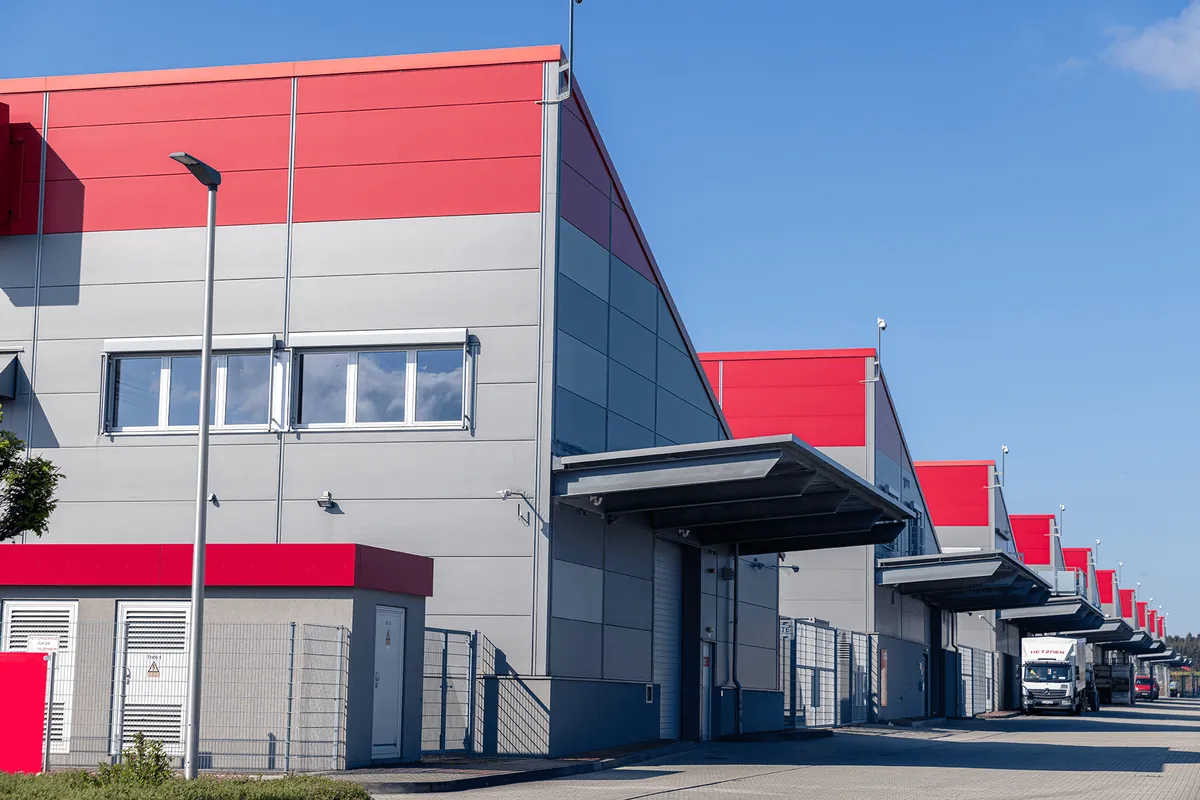
The production servers of the solution are in the Hetzner data centres in Germany. We operate the servers ourselves. Hetzner Online GmbH is a German company. A white label customer gets its own server at Hetzner Cloud. We operate that server too.
Reasons
Green electricity. According to Hetzner, its data centres in Germany have used sustainable electricity for many years. Hetzner writes that it wants to meet its needs only with renewable energy.
Reuse of hardware. According to Hetzner, it uses its servers for eight years on average. The Hetzner server auction lets the hardware stay in use for longer. If this is not possible, Hetzner reuses or recycles the parts.
European law. The servers are in Germany, under EU law. According to Hetzner, only German authorities with a valid German court order get access to the data centres.
Professional support. According to Hetzner, customers can contact its data centre technicians 24 hours a day, 7 days a week.
Consequences
- Good: The hosting services and data centres of Hetzner have ISO/IEC 27001 certification.
- Bad: We operate and monitor the servers ourselves from the operating system upwards, or pay Hetzner to help us.
- Neutral: Some AI features use external providers (decision 0009).
For the operation, we have our own edge protection and our own logging (decisions 0006 and 0007).
Who does what
Hetzner runs the data centres, the hardware, the network and the protection against DDoS attacks. We operate the servers ourselves from the operating system upwards. The part of Hetzner is based on what Hetzner itself writes.
| Layer | Who | What |
|---|---|---|
| Apps and data | Wiiandi Group | The web app, the API and the calendar, the databases, our edge protection and the certificates. Backups that we keep for 30 days, with an extra copy on our own equipment in Denmark. Monitoring 24 hours a day and our own logging. |
| Operating system | Wiiandi Group | Operation of the servers and monthly updates. Microsoft Defender for Endpoint, which monitors the servers. The rules in the Hetzner firewall. |
| Hardware and network | Hetzner | The servers and the network. According to Hetzner, the replacement of defective hardware is free of charge for its dedicated servers. Protection against overload attacks (DDoS). The firewall in the Hetzner network. |
| Data centre | Hetzner | Buildings with a security fence, video surveillance and access control that logs all access. Backup power, two separate power paths and green electricity. Early fire detection. |
See also decisions 0013 and 0017, and Operations and security, section Where your data is.
0003 The web app on modern .NET and a full upgrade of the backend
Status: Accepted.
Context
The backend is the parts of the solution that run on the server, for example the API. For a long time, the backend has used an older version of .NET. Before Blazor, we had a web app in React. Later, we started a new web app in Blazor, which needs modern .NET.
Decision
We build the web app with Blazor on modern .NET. We waited to upgrade some parts of the backend. First, we wanted more features in our platforms. We have planned a full upgrade of the backend to .NET 10, and we already prepare the code for the change.
A module has a server part, a client part and shared models. The shared models are in libraries that the API and the web app can both use.
Reasons
- With Blazor, we write the web app and the API in C#.
- Microsoft releases modern .NET in long-term support versions. These versions get security updates for three years.
- Modern .NET is faster. We expect the backend to become much faster after the upgrade.
- Modern .NET runs on servers with Windows and on servers with Linux.
- The same .NET is in the web app (Blazor WebAssembly), desktop app and mobile app (.NET for Android and iOS).
- Blazor can make the first view of the pages on the server, and this makes the pages fast.
Consequences
- Good: The web app and the API use the same models for requests and responses. Thus they stay in agreement.
- Bad: Until the upgrade, we must maintain and build on two .NET platforms. Shared code must work on both.
The mobile app: from Xamarin to modern .NET
The mobile app also uses C# and .NET (see decision 0008). From the start, we used Xamarin.Android and Xamarin.iOS to build it. With these, our C# code talks directly to Android and iOS through the own features of the platforms. The user interface is the pages and buttons that you see and tap in the app. We make it for each platform with the own tools of that platform. On the iPhone, we use Apple’s files for the app’s pages (XIB and storyboards). On Android, we use Android’s layout files.
On top of this, we use the open source library MvvmCross. It shares the logic of the app’s pages between Android and iOS. Each page has a shared part with logic and data (a view model) and a part for each platform that shows the page. The shared code also talks to the API.
An app in C# cannot talk to the phone’s own system without a bridge, which is also called a binding. The bridge translates between our C# code and Android or iOS. Most of the bridges that we use come from Microsoft and are part of .NET. Some features use ready-made bridges from others. Some features, for example push notifications and permissions, are in small C# libraries with one version for Android and one for iOS. We made only one bridge ourselves. It opened MobilePay from the app, and we stopped using it before the move.
Many apps had a difficult move from Xamarin to modern .NET. Apps that made their user interface with Xamarin.Forms had to move it to .NET MAUI. According to Microsoft, special adjustments of the user interface (custom renderers) must be updated. Microsoft also says that Xamarin.Forms packages usually do not work with modern .NET until they are built again. The user interface can also behave differently after the move. Many apps also used bridges and plugins that had to be made again or replaced.
For us, the move was easier. Xamarin.Android and Xamarin.iOS became .NET for Android and .NET for iOS, with the same features from the platforms. According to Microsoft, most projects of this type do not need to be rewritten. We kept the app’s pages for the iPhone and Android, and our structure with MvvmCross, and we had no custom renderers to update. The project files and the way we build the app changed. We used some parts of Xamarin.Forms and Xamarin.Essentials for helper functions, but no pages. We replaced most of them with the equivalent parts in .NET. We also replaced a few libraries, for example for push notifications on the iPhone and for showing images. Most of our own code stayed the same, but we had to adjust the code in some places. It is a bit like moving house when the furniture already fits in standard boxes. The move took about half a year.
Today, the app also shows some pages with Blazor components from the web app. The app shows these pages through .NET MAUI (see decision 0004).
See also decisions 0004, 0005 and 0008.
0004 Blazor WebAssembly and Blazor Server with Fluxor for state
Status: Accepted.
Context
The web app has many modules and many pages. The pages share data, for example the selected club and the user who is logged in. The pages must show quickly, also on the first visit. First, the web app was a React app that showed modules in Blazor. Later, the web app moved fully to Blazor.
Decision
The web app runs in the browser with Blazor WebAssembly. We control the data that many pages share with the Fluxor library. A page sends an action, and the shared state changes in one place. Today, Blazor also runs on the server (Blazor Server). When a page opens, the server makes the first view, so that the page shows quickly. Then the app in the browser (Blazor WebAssembly) takes over. We use many components in the web app, the desktop app and the mobile app.
Reasons
- We wanted to keep the state management and the patterns that we had in React.
- This choice makes the solution flexible for white label.
- We can change the design and the user experience, and our state management and client libraries continue to work.
- We can use many components again in the mobile app, because .NET MAUI can show Blazor components.
- One component works in the mobile app, desktop app (today for Windows) and browsers such as Edge, Chrome or Firefox.
- When the server makes the first view, the first page shows quickly.
- Search engines can read the pages that the server makes.
Consequences
- Good: The user sees content quickly, and then the app runs in the browser.
- Good: We develop many components only one time for the web app, the desktop app and the mobile app.
- Bad: The first visit must load the WebAssembly part. This takes time on a slow connection.
- Bad: Each feature needs more code for actions and state.
- Bad: The server must also know the state when it makes the first view.
We are introducing a solution where the app gets only the parts that it needs at once. The app gets the rest in the background. Then the first visit becomes faster.
See also decisions 0003 and 0010.
0005 Modular monolith with tested boundaries
Status: Accepted.
Context
The solution has many features, and the clubs turn them on and off. Many developers work in the code at the same time. We had to choose how to structure the code. We had three options: one large app without fixed parts, many small services that run separately (microservices), or a solution between the two.
Decision
We chose a solution between the two: a modular monolith. A monolith is one solution that we build and put into operation as one unit. Modular means that the code is divided into modules. A module is a separate part of the solution with its own responsibility, for example activities, payments or chat. We can put small modules together into larger modules.
Each module has a boundary. The module has a public part and a private part. We call the public part the contract. The contract tells what other parts of the solution can use, for example which data the module accepts and sends back. The private part is the module’s own code. Other modules must not use it directly. This lets us change the private part without breaking other modules.
A module usually has several parts. One part runs on the server. The user interface uses another part to talk to the server. There are also the shared data models that both sides use. The user interface can use only the contract. It must never use the server code or the database directly.
The rules are code. Automatic architecture tests and automatic code analysis check a large part of them. Some rules are checked already when the code is built. The tests run automatically each time a change is proposed for, or added to, the shared code. They check, for example, that the user interface does not depend on server code. They also check that the services in the code do not depend on each other in a circle. And they check that the API goes through the modules’ own services and not directly to the database.
Feature switches and the module shop control which modules a club has (see decision 0012). All brands use the same modules (see decision 0010).
Reasons
- A change in one module has fewer side effects in the rest of the solution. So we can change faster.
- Many developers can work at the same time, each in a different module.
- We build, test and release one solution. With one database per customer, operation is simpler than with microservices (decision 0001).
- The cost is lower than with microservices.
- The modules have clear boundaries. So we can later move a module into its own service if we need to.
- The rules are code, not only text in a document. So the tests quickly find code that breaks the rules.
Consequences
- Good: We build and operate one solution, but the code has clear boundaries.
- Good: All brands can use the same module, and we can turn it on and off for each club.
- Good: Each module has its own description, so a new developer can find the way more quickly.
- Bad: The codebase is large, and we must keep it tidy all the time. Keeping the boundaries needs discipline.
- Bad: It takes time to build and test the full solution, also when we changed only one module.
- Bad: The start took more time than with a usual monolith without modules.
- Bad: The modules of a customer share the customer’s database. The boundaries are in the code, not in the database.
See also decisions 0001, 0010 and 0012, and Testing and quality.
0006 Our own edge protection
Status: Accepted.
Context
The web app, the API and the calendar need protection against attacks from the internet. We did not want to build the same protection into each app. We could use a solution from a different provider, or we could build our own.
Decision
We developed our own edge protection (a web application firewall). First, we designed the edge protection. Then we put it fully into operation. It is in front of the web app, the API and the calendar. It blocks known types of attacks and limits the number of requests. It can ask suspicious clients to prove that they are not robots, and it can block by country. It also gives encrypted connections with automatic certificates.
Reasons
- We have control of our data.
- Other solutions sometimes stopped us from getting the data that we needed to improve security.
- We have full control of where our data is processed and stored.
- It is easier to obey the rules for logs.
- We can also offer the solution to other customers.
- The protection is in one place in front of all apps. Each app does not have to build it.
Consequences
- Good: The edge protection runs in the Hetzner data centres in Germany, in front of the app servers.
- Good: We have control of where the data about the traffic is processed (see the introduction).
- Bad: We must maintain the edge protection ourselves and follow new types of attacks.
We do not publish rules, limits or the path of the traffic. See Architecture overview, section Where edge protection is.
0007 Our own logging system
Status: Accepted.
Context
Our staff must detect and solve problems in the platform services. We could use a log service from a different provider, or we could build our own system.
Decision
We have our own internal operations logging system. It gathers technical logs from platform services so staff can detect and solve problems. First, we designed the system and tried it out with prototypes. Then we put it fully into operation.
Reasons
- We have control of our logs and full control of where they are processed and stored.
- Other solutions sometimes stopped us from getting the data that we needed to improve security.
- It is easier to obey the rules for logs.
- The cost is lower when there are large amounts of logs.
- We can also offer the system to other customers.
- All technical logs are in one place.
- The system removes sensitive data from logs.
- Logs from different customers stay apart.
- Access depends on the role, and the system records each access.
- The system keeps logs only for a limited time.
Consequences
- Good: Staff find technical logs in one place.
- Good: We keep our costs down, also for large amounts of logs (see the introduction).
- Bad: We must operate and maintain the system ourselves.
See also decision 0006 and Architecture overview, section Level 2: A look inside the engine room.
0008 One codebase for the mobile app, where each club gets its own area
Status: Accepted.
Context
Members, children and young people, and parents use the solution on the phone. The app must be available for Android and iOS. Each year, Google and Apple have many new requirements for apps.
Decision
From the start, the mobile app has used one shared codebase in C# and .NET. Only the parts that are special for Android or iOS are in their own projects.
All clubs on MinForening use the same app. Each club gets its own area in the app, with its own logo and its own activities, posts, messages and members. If you are a member of several clubs, you can switch between them in the app. Features can be switched on for each club (see decision 0012).
We can also build the same codebase as a separate app with its own name and icon in the App Store and Google Play. We do this, for example, for MinOrganisation and for white label customers. We built the first of these apps some years ago. Today, the build adds the name, the app ID and the addresses automatically. Today, the mobile app fully supports white label, and we use components from the web app and the desktop app again.
MinOrganisation has its own app, which all organisations on MinOrganisation use. A white label customer gets its own app, and also its own API, its own database and its own server. You buy white label through the support of MinOrganisation or of Wiiandi Group ApS.
Reasons
- Each year, Google and Apple have many upgrade requirements.
- With one codebase, we mostly do the work for these requirements in only one place.
- We build a feature one time, and it works on Android and iOS.
- Each club gets its own area in the same app.
- MinOrganisation has its own app, and white label customers get their own app from the same code.
- We use components from the web app and the desktop app again.
Consequences
- Good: All clubs and all separate apps get new features and fixes from the same code.
- Good: Fixes in the shared code, for example for accessibility, privacy and security, reach all apps at the same time.
- Bad: A separate app is its own app in the app stores. We must build and release it separately.
- Bad: Each separate app must have its own information in the app stores kept up to date.
- Neutral: We work to the requirements of the European Accessibility Act.
The information in the app stores for a separate app is:
- information about the trader, that is the company behind the app, under EU rules (among others the Digital Services Act)
- privacy information
- a link to the privacy policy
See also decisions 0003 (the move to modern .NET) and 0010.
0009 AI provider chosen for each feature, with our own Qwen models as the default
Status: Accepted.
Context
Many features in the solution use AI. We have worked with AI for some years.
Our first prototypes used the Llama models from Meta. Their Danish was not good enough, and they were too slow. Thus we moved to Microsoft Azure OpenAI. But we needed more control of data and more knowledge of how the AI works.
We had four requirements for the AI:
- It must write and understand good Danish.
- It must answer quickly.
- We must have control of the data.
- Users must be able to see when they use AI.
Our research found the Qwen models. Qwen models are language models that we can operate ourselves. Qwen states that the models support many languages, also Danish.
Decision
We built our own AI service for the Qwen models. It has its own security and logging. Our own AI server is in our office in Denmark.
By default, the AI features use Qwen models that we host ourselves. Microsoft Azure OpenAI in an EU region is used for some features and as a fallback. Our developers use Claude from Anthropic only internally, for example for bug reports. The calendar robots use Microsoft Azure OpenAI.
The AI page gives the provider for each feature.
Reasons
- We have control of the data when we host the models ourselves.
- We can see how the AI works, and we decide the security and the logging.
- The Qwen models know Danish, and we can operate them ourselves.
- An organisation can choose a different provider for some features.
- A fallback keeps the features running when our own models are not available.
Consequences
- Good: By default, models that we host ourselves do the AI work.
- Good: We decide what our AI service logs and keeps.
- Good: For features that use our own models, we have control of where the data is processed (see the introduction).
- Bad: We must operate, update and monitor the models and the server ourselves.
- Bad: The provider can be different for each feature. Thus the AI page gives the provider for each feature.
How we protect data
We do not use your data to train AI models. This also applies to our own Qwen models. When the features use Microsoft, the terms of Microsoft do not let it train its models on the data that we send.
Our own AI service checks who calls it. It logs each request, for example the time, the model and the response time. By default, the log does not keep the questions or the answers.
We work to the requirements of the EU AI Act. In the AI assistant in the app, users are told that they chat with an AI system. The answers of the AI are marked as AI-generated. Mini Profile AI uses the data of a member only when the member has said yes.
See also AI in the solution and Architecture overview, section AI in the solution.
0010 White label: the same code for all brands, and the difference is in the configuration
Status: Accepted.
Context
Some customers want the solution under their own name. This is called white label. The customer wants its own name, logo, domain and app.
Many suppliers make white label by copying the code for each customer. Such a copy is called a fork. After that, each copy lives its own life. A bug must be fixed in each copy separately, and each copy must be updated separately. The more customers, the more copies there are to maintain.
Decision
We do not copy the code. All brands run exactly the same code and the same build of the solution. The difference is in the configuration, that is, the settings that each installation has.
The configuration covers:
Name, logo and colours. We set the logo of the brand, the icon in the browser tab and the colours in a branding editor. The colours of the mobile app are set in the same place. The changes work without a new release.
Addresses. Each installation of the web app has its own configuration with the name, the logo and the address of the API that it talks to.
Database and server. Each white label customer has its own database and its own cloud server (see decisions 0001 and 0013).
Modules. Modules and features are turned on and off for each club, organisation type and brand (see decision 0012).
Languages. We choose which languages the users can choose from: for the whole customer, for a country or for one club. If nothing is chosen, the solution chooses the language from the domain, for example Danish on a .dk domain.
Email. Each customer can have its own settings for email from the solution, also the sender address.
Mobile app. When we build a stand-alone app, we put in the name, the app ID and the addresses automatically (see decision 0008).
A script sets up a new brand in fixed steps. The script creates the domain name and the database, and brings the database up to the newest version. It puts the same build of the solution on the server and writes the configuration. Then it checks that the solution answers, and creates the first organisation. The script has its own automatic tests.
Reasons
- With a copy for each customer, each fix must be made many times.
- With copies, each fix gets more expensive and slower with each new customer.
- When all brands run the same code, a fix or a new feature reaches all brands at once.
- The customers must still be able to get their own brand, their own data and their own modules.
Consequences
- Good: We maintain one codebase, however many brands there are.
- Good: The name, the logo and the colours can be changed without a new release.
- Good: A new brand is set up in the same fixed steps every time.
- Bad: It took time to build the engine for the configuration.
- Bad: A change in the code must work for all brands at once.
- Bad: A wish that the configuration does not cover needs a change in the shared code.
Because a change must work for all brands, we test carefully. Architecture tests keep the boundaries between the modules (decision 0005).
See also decisions 0001, 0005, 0008, 0012, 0013 and 0015, White label, and Testing and quality.
0012 Features and modules that we switch on and off while the solution runs
Status: Accepted.
Context
The solution has many platforms: MinForening, MinOrganisation and white label. The customers need different features. We do not want a codebase for each platform.
Decision
The solution has one codebase with feature switches (feature flags) for each platform. A switch can apply to a club, a user or an organisation type. Clubs can buy modules in the module shop. A module can also be sponsored or included by default. The API checks the switch before the features of a module answer. A change works while the solution runs. We do not have to make a new release. The web app and the mobile app also get the changes while they run.
Reasons
- We have one codebase with feature switches for each platform.
- We can turn features and modules on and off for each customer.
- We can turn a feature on or off while the solution runs.
Consequences
- Good: We can turn on a new feature for a small number of clubs first.
- Good: A club gets only the modules that it selected.
- Bad: The code must check the switches in many places, in the API and in the apps.
See also decisions 0005 and 0010.
0013 Hosting in three levels: shared, isolated and dedicated
Status: Accepted.
Context
Our customers have different needs. A small club wants a low price. A large organisation wants its data kept more apart from the data of others.
Decision
We offer three levels of hosting. Shared is MinForening. The clubs share servers and a database, and each club is kept apart in the database. Isolated is MinOrganisation. Each organisation has its own database (see decision 0001). Dedicated is white label. The customer runs separately on its own cloud server at Hetzner, and we operate the server. Other customers can also get their own server. Some services are shared for all customers: monitoring, our edge protection and internal tools for our staff. First, we built the levels one at a time. Then we put them together into three levels. Today, we set up a new white label server automatically.
Reasons
- Each level is a balance between isolation and security, and cost.
- The customer can select the level that agrees with its needs.
Consequences
- Good: A club or an organisation can start on a lower level and move to white label later.
- Bad: More databases and servers give more operations work and more updates.
See also decisions 0001, 0002 and 0010, and Architecture overview, section Hosting: shared, isolated and dedicated.
0014 We built the certification module ourselves
Status: Accepted.
Context
Clubs must make sure that members have the correct courses and tests. We could build the module ourselves, or we could build it on the service of a different provider. First, we made the first designs, and then we built the module.
Decision
We built the certification module ourselves. A club makes a certification with a period, deadlines and, if necessary, a questionnaire. The club assigns members one at a time, by group, or automatically when they become members. Each answer set gets a percentage of correct answers, and there is a limit to pass. Members get invitations by email. The club can allow a member who did not pass to take the test again. The module uses the permissions and groups of the solution.
Reasons
- A module that depends on a different provider can stop working if the provider stops.
- The responsibility is clear.
- We have control of the cost to maintain the module.
- The data of members, also of children, must be safe.
- The module uses the permissions and groups of the solution.
Consequences
- Good: The module works together with the rest of the solution, for example with groups and organisation types.
- Good: We have control of the data and the cost ourselves.
- Good: We do not have to wait for a different provider to build what we need.
- Bad: We must build and maintain all parts of the module ourselves.
See also decision 0012.
0015 The operations platform is one place for the customer lifecycle and setup
Status: Accepted.
Context
We must create customers, control their subscription and setup, and close them again. This must happen in one place, and only our staff may do it.
Decision
The operations platform is an internal platform that only our staff use. Here, we manage the subscription and setup of the customers in one place. Customers never log in to it. Access is limited, and it is logged.
Reasons
- We manage the subscription and setup of the customers in one place.
- The operations platform helps us to obey rules.
- Only our staff have access.
Consequences
- Good: We have control of the data of the customers ourselves (see the introduction).
- Good: Access is limited to our staff, and it is logged.
- Bad: We must operate and maintain the operations platform ourselves.
See also decisions 0012 and 0013, and Platform systems.
0016 Our own mail server for email from the solution
Status: Accepted.
Context
The solution sends many emails, for example invitations and messages. Some emails did not get to the recipient. Frequently, we did not get the correct technical information about the cause.
Decision
Our mail server has run for many years. It started as a team member’s private solution, and at that time none of our current customers used it. Since then, the one-person company of that team member, then Softnotik ApS and today Wiiandi Group ApS have operated it.
Email from the solution is sent from our own mail server directly to the recipients’ mail servers. Our employees use Microsoft 365 for their email, and email that users write to us goes through Microsoft 365.
The solution logs the delivery for each recipient. It reads the reports about rejected emails from our mail server and updates the log. If the receiving side rejects an address permanently or several times, the solution stops that address before the next send. Each domain has its own keys to sign email (DKIM). We do not let email go from our servers without encryption.
Reasons
- We want full control of email from the solution and information about problems.
- Frequently, we did not get the correct technical information about why an email did not get to the recipient.
Consequences
- Good: We can see what happened to an email to a specific recipient.
- Good: Addresses that do not work do not continue to get email.
- Good: We have control of the mail server ourselves.
- Good: We get the information about delivery problems ourselves (see the introduction).
- Good: The mail server has a good reputation with other mail servers.
- Good: When we last checked, the mail server was not on the known spam lists.
- Bad: We must operate and maintain the mail server ourselves.
See also Operations and security, section Encryption.
0017 Our own DNS name servers through NordName
Status: Accepted.
Context
When a person opens minforening.dk, the domain name must first be translated to the server that answers. DNS does this. A name server is the server that gives the answer. It tells which server a domain name points to. For each of our domains, it is registered which name servers the domain uses.
We wanted control of our DNS. We also wanted an experienced partner to operate the name servers.
Decision
We have our own DNS name servers, ns1.wiiandi.dk and ns2.wiiandi.dk. NordName manages them. minforening.dk, minorganisation.dk and wiiandi.dk use the two name servers.
NordName is the Finnish company C-Soft Oy. The company has existed for many years. ICANN accredits NordName as a registrar of domain names. You can see this in the ICANN list of accredited registrars. ICANN is the organisation that coordinates domain names worldwide. An accredited registrar must follow the ICANN rules for registering domains. The registries for .eu, .se and .fi, among others, also accredit NordName.
ICANN also describes what a registrar must give us as the holder of a domain. This applies to domains that ICANN is responsible for, for example .com. See the ICANN page about the rights and responsibilities of domain holders. Among other things:
- The registration is made under an agreement with a registrar that ICANN accredits.
- We are entitled to accurate and accessible information about the terms and prices of the registrar.
- We are entitled to know how to get support, and how to raise concerns and resolve disputes with the registrar.
- The registrar must not use false advertising or deceptive practices with us.
We also have responsibilities. We must follow the terms of the registrar, give accurate contact information and keep it up to date. We must also answer questions from the registrar within 15 days.
The name servers use anycast. This means that the same name servers answer from servers in several countries, also outside the EU. The servers run on the NordName anycast network at the company Rage4. DNS contains no data about members.
NordName also has a climate initiative where they plant a tree for each domain that is registered with them or transferred to them. The trees are planted in Finland, Sweden, Denmark and Norway. Read more on the NordName page about the initiative.
Reasons
Control: The name servers have our own names. If we change provider, the new provider can take over the same two names. Then we only change where the two names point. We do not change the name servers for each domain.
EU: NordName is a European company in Finland. According to the NordName privacy policy, they follow the EU General Data Protection Regulation (GDPR) and Finnish law.
Expertise and help: NordName works with domains and DNS every day. We get help to operate the name servers, and we do not do it alone.
DNSSEC: NordName protects DNS with DNSSEC by default. DNSSEC puts a digital signature on the answers from DNS. This lets anyone check that an answer is genuine and was not changed along the way.
Consequences
- Good: We can change provider without changing the names of our name servers.
- Good: minforening.dk, minorganisation.dk and wiiandi.dk are signed with DNSSEC.
- Good: According to NordName, the server nearest to the user answers.
- Good: According to NordName, an attack is spread over the whole network. This makes DNS more robust.
- Bad: We depend on NordName to keep the name servers in operation.
- Bad: Some anycast servers are outside the EU. They only answer DNS queries and contain no data about members.
See also decision 0002, and Operations and security, section DNS.
0018 Our own guide generator for our partners
Status: Accepted.
Context
Our partners must be able to show their own users how the solution works. Guides with pictures of the pages quickly become out of date when the solution changes. It takes a long time to make them by hand, and they must be available in many languages.
Decision
We built our own guide generator. For each module, we describe the steps of the most important tasks, for example to create an activity. The generator does the steps in a real browser and takes pictures of the pages on the way. The images show where to click. Then it makes guides as PDF files for different roles, in many languages, for example Danish, English and German. We start the generator ourselves when we need new guides.
We also have a small program where we select a club or an organisation. Then the cover of the guide and the pictures can show its logo.
Reasons
- We built the generator for our partners, so that they can give good guides to their users.
- We also use the same descriptions of the steps for automatic tests.
- If a description does not fit the solution any more, the test fails, and we find out.
- When the solution changes, we can take new pictures of the pages and make the guides again.
- We can make the guides in many languages, and the pictures are in the same language as the text.
Consequences
- Good: A partner can get guides with its own logo.
- Good: The schedule of a different provider does not slow us down (see the introduction).
- Bad: We must maintain the descriptions of the steps ourselves when the solution changes.
See also decision 0010 and Testing and quality.
Last updated: